Апдейты/апгрейды софта (2 онлайн)

McDSP's latest v7 update (v7.3.17 on Mac OS, v7.1.0.18 on Windows) is now available. This latest release of the McDSP v7 plug-in line up includes a faster image loading system (2x to 10x times faster on Mac OS), up to 30% smaller installers (for Mac OS), and fixes intermittent issues with Apple silicon M4 processors. This v7 update is a free update available for all McDSP v7 users.
 
  • Like
Реакции: riffcreator и haxep
Blue Cat Audio PatchWork v.2.78
 
  • Like
Реакции: A .
Rando v2.5
https://monkeyc.audio/pages/rando-2l1

Скоро наверно и Landr Sampler подтянут новую версию.
Т.к. разработчик один.
https://www.landr.com/plugins/landr-sampler

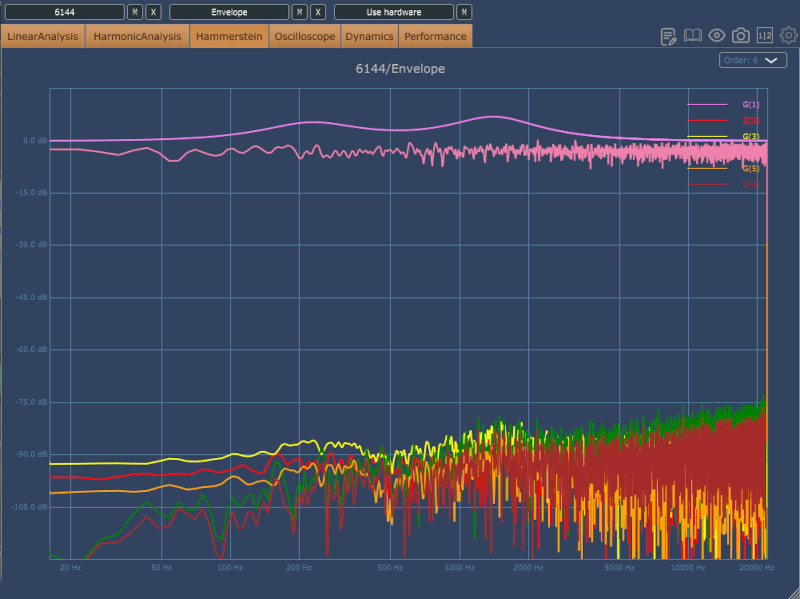
1782164220969.png
 
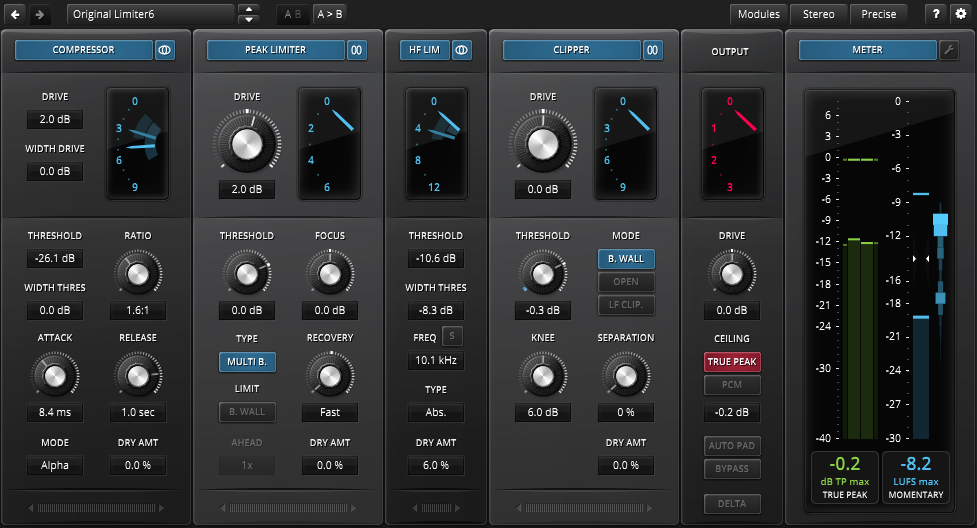
TDR Limiter 6 GE
2.0.0 update

# Added Linux support
# Added new Peak Limiter model
# Added new Clipper parameter "UPWARD".
# Added Zwicker Loudness model (ISO 532-1) to meter module
# Added "NUKE" (ratio) mode for compressor
# UI improved
# Fixed compressor dry mix not working in mono mode

 
1782225656461.png


New Presets Workflow
Finding the right sound should feel effortless. With V17, most Waves plugins now feature a redesigned preset workflow built to help you move faster, stay focused, and create without interruption.
The new preset experience is cleaner and quicker to navigate, making it easier than ever to browse, organize, and manage your sounds directly inside the plugin.

WHAT’S NEW?
Browse Faster:
Instantly search and find presets.

Navigate Easily:
Jump smoothly between preset categories.

Favorites:
Save your go-to presets in one centralized list.

Manage Presets:
Create and organize presets directly from the plugin GUI.


FOR LIVE
Renaissance EQ:

Real-time frequency analyzer now available in eMotion LV1 and SuperRack, giving you visual mix feedback directly inside R-EQ during live workflows.

eMo-Q4 EQ:
Built-in real-time frequency analyzer added for faster, more confident live EQ decisions in eMotion LV1 and SuperRack.

PSE (Primary Source Expander):
New 5Hz Frequency Shift option added for even more precise gain-before-feedback control.

FOR THE STUDIO
MondoMod:

New graphic user interface for sharper visual focus and clearer control feedback.

CLA MixDown:
New I/O control added for seamless automation, giving you dynamic mix bus movement and level control within the plugin.

WLM Plus Loudness Meter:
Now supports AudioSuite workflows, bringing fast, precise loudness analysis and rendering directly into Pro Tools offline processing.


StudioVerse: Mix Unlock
Transform Finished Tracks – Without Having the Stems.

Want to turn up a vocal in a finished mix, but don’t have the multitrack? Or grab a loop and strip away the drums to make it work for you?

Introducing Mix Unlock – a new premium feature of StudioVerse , our massive online preset library. Mix Unlock works in real time, inside your DAW, so you can manipulate the audio while playing it. In seconds, a finished mix, sample, or loop can be split into vocals, drums, bass, and instruments, then reshaped, reprocessed with hundreds of StudioVerse presets.

More Macro power: StudioVerse Audio Effects now supports up to 104 assignable macros across 13 pages, giving you unprecedented control over your entire StudioVerse setup.

Mix Unlock is available for purchase, included in Waves Creative Access—or free with every update to (or new purchase of) any Waves v17 plugin.
 
  • мозг
Реакции: riffcreator
@SoNick
StudioVerse: Mix Unlock
Transform Finished Tracks – Without Having the Stems.
-
4 стема, но в реалтайме. качество, по-моему, так себе.
 
Последнее редактирование:
Waldorf Microwave 1 v2 (платный апдейт, 35$ интро \ 60$ reg)

Что нового:
- Expanded polyphony via additional voice cards (8 → 32 voices) with preserved micro-timing and variation.
- New playback modes including Round Robin and Random Robin.
- Polyphonic arpeggiator per instrument part.
- Global arpeggiator with round robin options.
- Creative delay effect with filter, tremolo, diffusion and pitch shifting.
- Redesigned preset browser with favourites, search and direct instrument part loading.
- Multi-level undo/redo for parameter editing.
- Simultaneous editing of multiple instrument parts.
- New presets from mixer, engineer, and producer Chuck Zwicky.

Сам плугин счас на скидке, в джрр с купоном group 100$ (reg 180$)
https://www.jrrshop.com/waldorf-microwave-1.html

https://waldorfmusic.com/microwave/
 
  • Like
Реакции: SoNick
Audio Damage както незаметно обновили EOS 2 ревер до 2.5, добавили новый алгоритм Random Plate.

V2.5.0

>> New reverb algorithm added: Random Plate. This is a smooth, glassy plate that nicely expands Eos’ palette.

>> Inc/Dec and favorite buttons added to front panel.

>> Preset manager overhaul.

>> Various small bug fixes and improvements.
 
@belovw, нее, в Вальхалле все таки алгоритмов поболее будет, пока не списываем ее со счетов)
 
Все алгоритмы ревера в EOS за авторством Шона, с самой первой версии :Dle17:
 
@AL3X, какого именно ревера из вальхаллы есть алгоритмы в EOS?
их же 3 вальхаллы: room, vintage verb, plate (и в каждом из этих 3-ех хренова куча алгоритмов)
Возможно какие то алгоритмы и Шона - но не все точно - поэтому я останусь на своем - не списываем вальхаллу)
 
@AL3X, какого именно ревера из вальхаллы есть алгоритмы в EOS?
их же 3 вальхаллы: room, vintage verb, plate (и в каждом из этих 3-ех хренова куча алгоритмов)

я не видел такого в EOS) тыкните носом ;)
Я же не сказал, что в EOS есть алгоритмы из ValhallaDSP.
Я сказал, что все алгоритмы для EOS написал тот же человек.
;)
 
  • Like
Реакции: fractala
@AL3X, какого именно ревера из вальхаллы есть алгоритмы в EOS?
их же 3 вальхаллы: room, vintage verb, plate (и в каждом из этих 3-ех хренова куча алгоритмов)
Возможно какие то алгоритмы и Шона - но не все точно - поэтому я останусь на своем - не списываем вальхаллу)
Так их больше, пользуюсь supermassive
 
McDSP's latest v7 update for Windows (v7.3.0.23) is now available! This free update for all McDSP v7 users includes an updated VST3 bundle folder structure to support Ableton Live on Windows. It also includes changes from v7.3.0.18, which dramatically decrease plugin load times. Plugins should open up to 5 times faster.
 
JUCE 9
 

SoundID VoiceAI Release Notes​

Release notes for 2.6.7​

Date of release: 18th June 2026
This update includes bug fixes and UX improvements.

New in v2.6.7
- Fixed preset preview issues in DAWs that suspend plugins on silent tracks (Logic, Pro Tools, Cubase, Nuendo). Preview no longer triggers unexpectedly when audio resumes, and the plugin now shows DAW-specific steps to keep preview working when dynamic plugin processing is enabled.
- Fixed a bug in the Download Manager where the progress display would freeze while the download was still running.
- Improved the download status display in the Download Manager: it now shows the active file name and progress at all times.

Release notes for 2.6.5​

Date of release: 3rd June 2026
This update includes bug fixes.

New in v2.6.5
- Fixed an occasional DAW crash during plugin activation
- Fixed a bug where the Browse cache folder button did not function correctly
- Fixed incorrect opening of the Download Manager application from plugin Preferences on macOS
- Fixed incorrect refresh behaviour in the Download Manager application
- Other minor bug fixes and UX improvements

Release notes for 2.6.4​

Date of release: 13th May 2026
This update improves processing quality and capture reliability, alongside bug fixes.

New in v2.6.4
- Enhanced processing quality
- Improved audio capture reliability
- Fixed a crash on Intel Macs and on Apple silicon under Rosetta
- Fixed a bug where long processing results could fall out of sync with the source capture
- Other minor bug fixes and UX improvements

Release notes for 2.6.3​

Date of release: 15th April 2026
This update addresses processing issues alongside minor user experience improvements, bug fixes and adds macOS 26 support.

New in v2.6.3
- Resolved a critical issue that caused audio artifacts to appear when processing longer audio fragments in Perpetual and Free modes
- Fixed a visual issue where the Favorite heart icon state would not update immediately after being toggled
- Fixed a visual issue where the Cancel button tooltip persisted after moving the mouse away
- Added macOS 26 support
- Minor UI text updates

Release notes for 2.6.2​

Date of release: 25 February 2026
This update includes bug fixes and minor improvements.

New in v2.6.2
- Fixed a bug where expansion pack names were not displayed correctly in the Preset browser
- Bug fixes in the Download Manager application showing "Checking your license" status indefinitely
- Minor UI text updates

Release notes for 2.6.0​

Date of release: 17 december 2025
This major update adds Free mode (offline processing and expands trial functionality.

New in v2.6.0
Free mode added with unlimited offline processing using eight models: four voice and four creative.
- During the seven-day trial, users now have full access to the entire Factory catalog and all expansion packs in offline mode.
- Cache folder reorganized - a separate folder is now created for each capture, containing the capture itself and all processing results.
- K-pop pack added to the expansion pack catalog.
- Remaining trial time is now displayed on the main view.
- Update notification moved to Preferences.
 

SoundID Reference Release Notes​

Release notes for 5.13.7.1299​

Date of release: 7th of July 2026
SoundID Reference
- Fixes Custom Target editing view being blank for Virtual Monitoring profiles
- Improved subwoofer calibration accuracy
- Fixes "Play a test signal" playing distorted audio
- Fixes an app crash on launch on Windows

SoundID Reference Measure
- Fixes "Partner integration failed" error when starting the measurement flow with Universal Audio devices
- Measure now fully resets the settings after switching between output devices, so the correct channel count is available for the new device

SoundID Virtual Monitoring PRO Measure
- Added dedicated Left and Right speaker measurements for final profile improvement
- Added a reminder to take off over-ear headphones before the speaker measurement

Release notes for 5.13.6.1270​

Date of release: 4th of June 2026
SoundID Reference
- Added "Reverb amount control" adjustment for VM PRO profiles that allows you to reduce the amount of reverb
- Added "Listening spot" adjustment for VM PRO profiles that aligns the speakers in time for better imaging
- Increased main menu maximum height for better convenience
- Improved core audio virtual driver performance

SoundID Reference Plugin
- Added "Reverb amount control" adjustment for VM PRO profiles that allows you to reduce the amount of reverb
- Added "Listening spot" adjustment for VM PRO profiles that aligns the speakers in time for better imaging
- Increased main menu maximum height for better convenience

SoundID Virtual Monitoring PRO Measure
- Added asymmetric listening spot detection, correction and controls
- Added measurement resume functionality

Release notes for 5.13.5.1210​

Date of release: 10th of April 2026
SoundID Reference
- Fixes calibration accuracy issue after various profile changes for the same output
- Create new Virtual Monitoring PRO profile” button will automatically launch SoundID Virtual Monitoring PRO Measure”
- Mouse scroll can adjust knob value
- Possible to open profile stored in system folders directly from SoundID Reference
- Support for MacOS 26

SoundID Reference Plugin
- Implemented toggle for showing only licensed functionality
- Fixes dry/wet adjustment appearance for Virtual Monitoring profiles in certain scenarios
- Fixes incorrectly stored safe headroom value
- Mouse scroll can adjust knob value
- Fixes plugin showing "No active license detected" while using Rosetta
- Support for MacOS 26

SoundID Virtual Monitoring PRO Measure
- Fixes audio playback not stopping on switching views
- Sample rate change won’t freeze the software
- Support for MacOS 26

Release notes for 5.13.2.1087​

Date of release: 9th of December 2025
SoundID Reference
- Improved dropdown menu selection and visibility

SoundID Reference Plugin
- Improved dropdown menu selection and visibility

SoundID Virtual Monitoring PRO Measure
- Improved SPL measurement step avoiding possible false positives
- License state gets refreshed without software restart
- Non-unicode symbols in user name or path name does won’t affect software performance
- Allow user to proceed only with 44.1 kHz sample rate
- Correct software version displayed
- Fixed loading indicator during profile creation screen
- Added warning and user guidance in case the same output device is selected for speakers and headphones

 

Сейчас просматривают