
это разные алгоритмы по сути. в 8000 это блэкхол предтеча, который был еще в 4000 (если не ошибаюсь) придуман. В 00е в виде плагинов и пресетов для педалей появился апгрейженный, более навороченный блэкхол. Оттуда он теперь и идет. в 8000 только его предок. Ну тоже со своими плюшками)blackhole immersive уделывает блэкхол из Н8000

Virus B/C/TI и прочие эмуляции Motorola DSP563xx (28 онлайн)
- Автор темы Technomax
- Дата начала
Вы используете устаревший браузер. Этот и другие сайты могут отображаться в нём некорректно.
Вам необходимо обновить браузер или попробовать использовать другой.
Вам необходимо обновить браузер или попробовать использовать другой.
Всиг тут не поможет) там нет кнопок и слайдеров) это не интерфейс для управления а наоборот) копошение в глубинах алгоритма.Ну форменное же издевательство сидеть тыкать мышкой в эти четыре кнопки


E-mu E6400 Z-Plane filters

 github.com
GitHub - sleepingsw0rd/Z-Filter: Legacy Z-Filter v1/prototype — current unified project is Z-Filter-v2
Legacy Z-Filter v1/prototype — current unified project is Z-Filter-v2 - sleepingsw0rd/Z-Filter
github.com


Они в Polezero от Digital Dream Synth вроде тоже есть. Он правда на ранней стадии так и остался, но emu банки открывает вполне себеE-mu E6400 Z-Plane filters
GitHub - sleepingsw0rd/Z-Filter: Legacy Z-Filter v1/prototype — current unified project is Z-Filter-v2
Legacy Z-Filter v1/prototype — current unified project is Z-Filter-v2 - sleepingsw0rd/Z-Filter


Only VST for Windows?E-mu E6400 Z-Plane filters
GitHub - sleepingsw0rd/Z-Filter: Legacy Z-Filter v1/prototype — current unified project is Z-Filter-v2
Legacy Z-Filter v1/prototype — current unified project is Z-Filter-v2 - sleepingsw0rd/Z-Filter

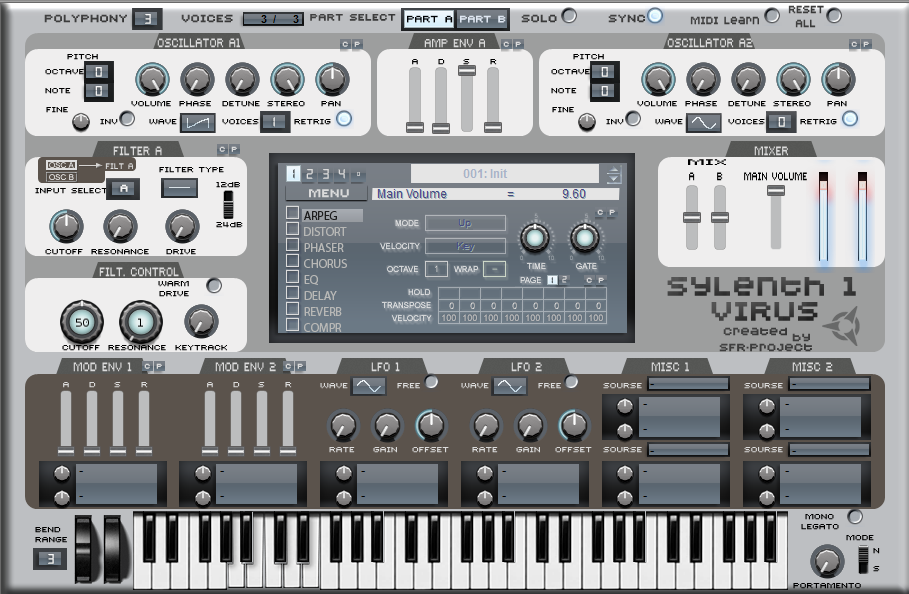
Со скинами беда - ру...ы - вот в ветке был парнишка - оч круто задизайнил норд 2 - и на вирус круто оч вышло - тоже в ветке было - все - 2 артиста - остальные - просто не понимание процесса - особенно радуют - когда кислотные делают))
Еще один Электрайб?)
 github.com
PORK Emulatribe 2
GitHub - APOTHEKKER/PORK-Emulatribe-2: The first all-in-one KORG ELECTRIBE 2 Emulator. A full music-production-emulator. create, play, and edit your patterns & sounds digitally. Experience the ELECTRIBE 2 in a whole new way. Download PORK Emulatribe
The first all-in-one KORG ELECTRIBE 2 Emulator. A full music-production-emulator. create, play, and edit your patterns & sounds digitally. Experience the ELECTRIBE 2 in a whole new way. Downlo...
github.com
Все таки не совсем то кроме морды based on the Airwindows Z-series filters by Chris Johnson. В Polezero вроде тот самый z-planeE-mu E6400 Z-Plane filters
GitHub - sleepingsw0rd/Z-Filter: Legacy Z-Filter v1/prototype — current unified project is Z-Filter-v2
Legacy Z-Filter v1/prototype — current unified project is Z-Filter-v2 - sleepingsw0rd/Z-Filter

Вот реально)) со скинами оч сложно)) Пример с сайлетом:
Хотя есть же нормальные варианты, темный и светлый:
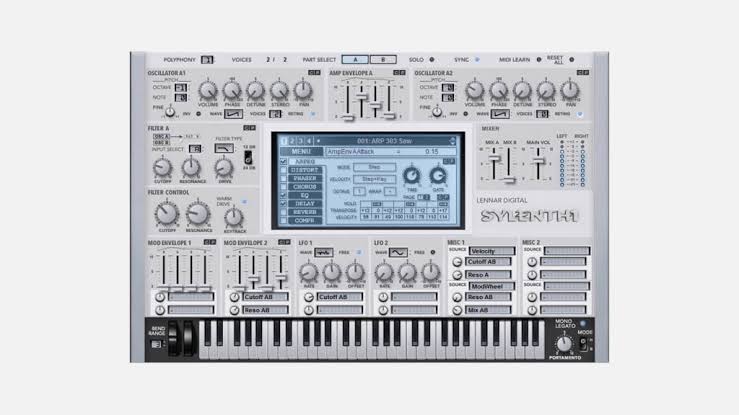
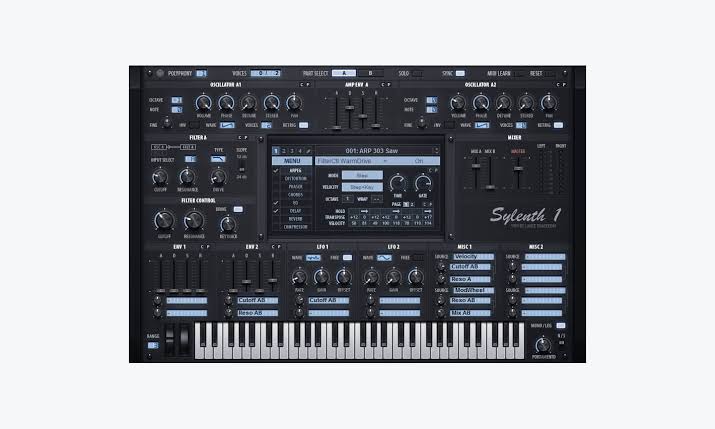
Хотя есть же нормальные варианты, темный и светлый:
Он похоже только стенделонЕще один Электрайб?)
PORK Emulatribe 2
GitHub - APOTHEKKER/PORK-Emulatribe-2: The first all-in-one KORG ELECTRIBE 2 Emulator. A full music-production-emulator. create, play, and edit your patterns & sounds digitally. Experience the ELECTRIBE 2 in a whole new way. Download PORK Emulatribe
The first all-in-one KORG ELECTRIBE 2 Emulator. A full music-production-emulator. create, play, and edit your patterns & sounds digitally. Experience the ELECTRIBE 2 in a whole new way. Downlo...
сайлент имхо самый нормальный это APOXВот реально)) со скинами оч сложно)) Пример с сайлетом:
Посмотреть вложение 268882
Хотя есть же нормальные варианты, темный и светлый:
Посмотреть вложение 268883
Посмотреть вложение 268884
ОФИГЕННЫЙ)))) ДА)) он вроде встроен в синт сам))

Это не имеет отношение к E-MU реальным, просто уродливый GUI для Airwindows плагина.E-mu E6400 Z-Plane filters
GitHub - sleepingsw0rd/Z-Filter: Legacy Z-Filter v1/prototype — current unified project is Z-Filter-v2
Legacy Z-Filter v1/prototype — current unified project is Z-Filter-v2 - sleepingsw0rd/Z-Filter
PS. Звук ВООБЩЕ НЕ БЛИЗКО к E-MU (ESI-32 вот рядом стоит).
Electron
 github.com
 github.com
Ensoniq
 github.com
 github.com
Yamaha
https://github.com/RobCZart82/yaman1x какой-то еще один an1x проект
 github.com
GitHub - Jackherz/model-cycles-plugin: Unofficial plug-ins running the Model:Cycles sound engine, compiled from firmware you supply (none included)
Unofficial plug-ins running the Model:Cycles sound engine, compiled from firmware you supply (none included) - Jackherz/model-cycles-plugin
github.com
GitHub - benjamindehli/sidstation-asid: Control the three Elektron SidStation voices individually from your DAW
Control the three Elektron SidStation voices individually from your DAW - benjamindehli/sidstation-asid
github.com
GitHub - dudumil/Ensoniq-ASR-10-Emulator: Emulator of the Ensoniq ASR-10 sampler, running the original OS, with the ESP effects processor and the OTIS sample playback chip. Settings menu for MIDI and audio (ASIO). Windows.
Emulator of the Ensoniq ASR-10 sampler, running the original OS, with the ESP effects processor and the OTIS sample playback chip. Settings menu for MIDI and audio (ASIO). Windows. - dudumil/Ensoni...
github.com
GitHub - rommix0/ensoniq-ts-reborn: Faithful emulation of the Ensoniq TS-10 music keyboard.
Faithful emulation of the Ensoniq TS-10 music keyboard. - rommix0/ensoniq-ts-reborn
github.com
https://github.com/RobCZart82/yaman1x какой-то еще один an1x проект
GitHub - leblancfg/cs80: Yamaha CS-80 polysynth emulator made to fit on an ESP32: 160-preset library, C++ engine, WebAssembly browser app, DAW plugin
Yamaha CS-80 polysynth emulator made to fit on an ESP32: 160-preset library, C++ engine, WebAssembly browser app, DAW plugin - leblancfg/cs80
github.com
https://github.com/sl2365/Rain-SynthSkins вот прикольные)Кстати случайно сайт нашел со скинами на vsti
Вложения
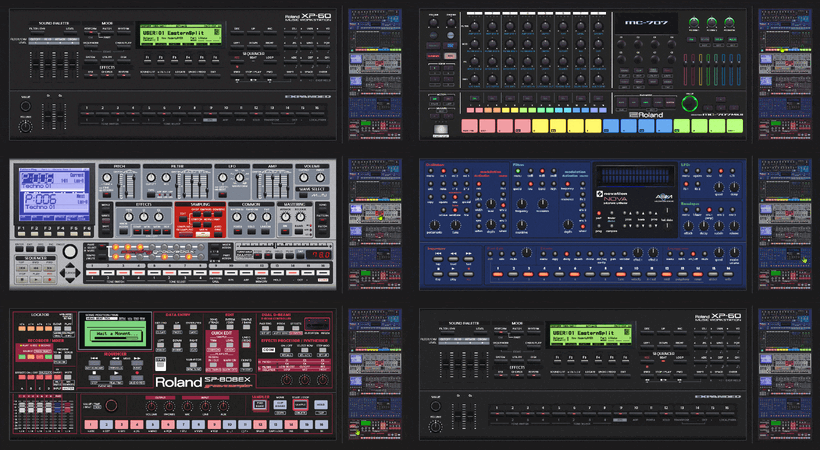
там в гифке какие-то эмуляторы что ли мелькают? 707, XP-60, Nova итдhttps://github.com/sl2365/Rain-SynthSkins вот прикольные)
апдейт. это просто веселые картинки, отбой ))
Небольшой дайджест выходящего:
 github.com
Добавился Oberheim OB-12, firmware в комплекте с эмулятором, звучит НЕПЛОХО но UI как всегда у Tuth - уродливый нейрослоп, нет менеджера пресетов и тд. Но сам факт появления эмулятора этого РЕДКОГО синтезатора - важная тема в эмуляции.
------------------------------------------------------------------
 github.com
Обновился MS2000R emulator v0.9.10
New since v0.9.9:
 github.com
Обновился G1-Emu v0.1.0-alpha.31
For Mac users, and the Micro's knobs in the DAW. A fix for the dropouts on Apple Silicon that
needs your testing, the Micro's knobs as automation, and smaller things you asked for. Please use it
with Animatek NME 0.27 or later.
macOS: the plugin's threads join the DAW's audio work (#81, #85), please test. On Apple Silicon,
macOS puts the threads a plugin starts on its own onto the efficiency cores whenever the DAW looks
idle, and the DAW then waits for audio that comes late: dropouts with the load well below 100 %, in
the plugin and not in the standalone, worse on macOS 27. The emulator's threads now join the DAW's
audio workgroup, the same fix Gearmulator made for its plugins. We could not try it on a Mac
ourselves, so tell us whether the dropouts, and the uploads rejected with "Unfinished bubble"
(code 6), are gone. Nothing changes on Windows and Linux.
G1-Emu Micro: its knobs are automation parameters (#91). Knob 1-3 and Master Volume are the
Micro's own knobs, both ways: what you turn on the Micro's box reaches the DAW, and the DAW's
automation turns the Micro's knobs. Knob 4-18 still show up but do nothing on a Micro, which has only
three.
A new instance keeps the last output level (#88). Set the level once (on the Settings card or from
the DAW) and the next instance you add starts there instead of at 48 dB. A project's own level still
wins.
A MIDI keyboard in the standalone (#84). Settings has a MIDI keyboard row: pick your keyboard
and it plays the G1 at once, next to NME, and it is opened again on the next start.
OCT SHIFT off looks off (#92). With Octave Shift Disabled (the default since alpha.24) the OCT SHIFT
keys are now drawn in grey, and hovering them says how to turn them on (right-click, or the Synth
Settings page).
------------------------------------------------------------------
 github.com
Обновился Animatek NME 0.27.0 (требуется самостоятельная сборка из исходников)
does it:
are now saved with the patch, in the .var file beside the .pch. So they also travel with a slot set
and with the library: load the set and every slot comes back with its own A-B, ready to play. Each slot
also keeps its own A-B while you switch between slots, where before it was lost on every switch. The
.pch stays standard, and an older NME simply skips the new part.
Parametric Eq and Hi and lo shelving eq. EqMid was always in the Filter tab, but under a name
nobody looked for.
NME now writes its own copy into its data folder on every start, and Editor Options gives the command to
register it with your MCP client. A request from a different copy is turned down with that command, so an
outdated bridge says so instead of failing in odd ways. The bridge also works again with a fresh install
(it now pins mcp below version 2).
GitHub - Tuth/ob12-emu: Oberheim OB-12 hardware emulator (2x F2MC-16LX + 5x TMS57070): the original firmware runs; standalone and VST3. Bring your own firmware.
Oberheim OB-12 hardware emulator (2x F2MC-16LX + 5x TMS57070): the original firmware runs; standalone and VST3. Bring your own firmware. - Tuth/ob12-emu
github.com
Добавился Oberheim OB-12, firmware в комплекте с эмулятором, звучит НЕПЛОХО но UI как всегда у Tuth - уродливый нейрослоп, нет менеджера пресетов и тд. Но сам факт появления эмулятора этого РЕДКОГО синтезатора - важная тема в эмуляции.
------------------------------------------------------------------
Release MS2000R emulator v0.9.10 · Tuth/ms2000r-emu
MS2000R emulator v0.9.10 - the plugin's project now brings its sound back New since v0.9.9: Project recall in a DAW: a saved project used to restore only the knobs and settings; the sound came bac...
github.com
New since v0.9.9:
- Project recall in a DAW: a saved project used to restore only the knobs and settings; the
sound came back as A01. The plugin's state now also carries the active program with its live
(edited) parameters, the GLOBAL settings, AudioInThru and the LCD page, and puts them back after
the machine has booted. Based on PR #8 by lowtrustsociety, with two fixes on top: the recall
waits for the boot (it is retried until the machine answers), and it works with the factory
setting GLOBAL "SystemEx = Dis" (the filter is switched on only for the recall itself and your
own setting is put back afterwards). - A little less CPU in the MCU: the A/D converter's conversions no longer wake every other
emulated peripheral. Measured against v0.9.9 (plugin, 48 kHz / 128 samples, PGO build both):
median block time about 1 % lower. The sound is the same bit for bit.
GitHub - animatek/G1-Emu: Nord Modular G1 emulator (68331 + DSP56303), playable from Animatek NME
Nord Modular G1 emulator (68331 + DSP56303), playable from Animatek NME - animatek/G1-Emu
github.com
For Mac users, and the Micro's knobs in the DAW. A fix for the dropouts on Apple Silicon that
needs your testing, the Micro's knobs as automation, and smaller things you asked for. Please use it
with Animatek NME 0.27 or later.
macOS: the plugin's threads join the DAW's audio work (#81, #85), please test. On Apple Silicon,
macOS puts the threads a plugin starts on its own onto the efficiency cores whenever the DAW looks
idle, and the DAW then waits for audio that comes late: dropouts with the load well below 100 %, in
the plugin and not in the standalone, worse on macOS 27. The emulator's threads now join the DAW's
audio workgroup, the same fix Gearmulator made for its plugins. We could not try it on a Mac
ourselves, so tell us whether the dropouts, and the uploads rejected with "Unfinished bubble"
(code 6), are gone. Nothing changes on Windows and Linux.
G1-Emu Micro: its knobs are automation parameters (#91). Knob 1-3 and Master Volume are the
Micro's own knobs, both ways: what you turn on the Micro's box reaches the DAW, and the DAW's
automation turns the Micro's knobs. Knob 4-18 still show up but do nothing on a Micro, which has only
three.
A new instance keeps the last output level (#88). Set the level once (on the Settings card or from
the DAW) and the next instance you add starts there instead of at 48 dB. A project's own level still
wins.
A MIDI keyboard in the standalone (#84). Settings has a MIDI keyboard row: pick your keyboard
and it plays the G1 at once, next to NME, and it is opened again on the next start.
OCT SHIFT off looks off (#92). With Octave Shift Disabled (the default since alpha.24) the OCT SHIFT
keys are now drawn in grey, and hovering them says how to turn them on (right-click, or the Synth
Settings page).
------------------------------------------------------------------
Release Animatek NME 0.27.0: play, browse and perform · animatek/Animatek-NME
Animatek NME 0.27.0: play, browse and perform This version comes almost entirely from your reports: a computer keyboard that plays the synth, a bank browser you can step through, the A-B Snapshot s...
github.com
Play from the computer keyboard (
In the standalone app, turn Caps Lock on and the computer keyboard plays the synth, the way Bitwigdoes it:
- A S D F G H J K L ; are the white keys and W E T Y U O P the black ones, from C up to the E of the
next octave (; is Ñ on a Spanish keyboard). - Z / X shift the octave down / up (C1 to C7). They share the octave with the Keyboard Floater's Oct
buttons, and the status bar shows the new one. - The notes go through the Keyboard Floater, so Drone, Repeat, Rate and Gate work as with its own keys,
and its keys light up when it is open. It plays with the floater closed too.
The A-B Snapshot is saved with the patch (
Both ends of the A-B Snapshot, the knob or control that drives the fader, and where the fader was leftare now saved with the patch, in the .var file beside the .pch. So they also travel with a slot set
and with the library: load the set and every slot comes back with its own A-B, ready to play. Each slot
also keeps its own A-B while you switch between slots, where before it was lost on every switch. The
.pch stays standard, and an older NME simply skips the new part.
Banks on the Disk tab (
- BANK now lists only the bank folders under Banks/, each with how many patches it holds.
- A double click (or Enter) steps into a folder and lists only its patches, by their own names.
- The folder you are in stays pinned at the top of the list: click it to go one level up.
- Pressing BANK again takes you back to the list of banks. The search still looks through every bank
at once. - A right click on a row gives Show in folder and Delete from disk... (asked first, to the trash
where the system has one, with the patch's .var beside it).
Values as the synth shows them (
- The Constant reads 0.0 to 64.0 in steps of 0.5 when it is set to Unipolar, as the original editor
and the synth show it: on the module, the hover readout, the inspector and the knob floater. Bipolar
still reads -64 to +64. - Flat knobs' arcs start where the value's zero is: at the minimum for ClkGen's Rate, LFO rates and
frequencies, at the zero of a signed value such as NoteQuant's range, in the middle for pulse width,
keyboard tracking and the EQ gains, and they follow a polarity switch (Constant, LevAdd, LevMult).
The EQs have their original names (
The module bar and the right-click menu now give the two EQs the names of Clavia's module menu:Parametric Eq and Hi and lo shelving eq. EqMid was always in the Filter tab, but under a name
nobody looked for.
The MCP bridge comes with the editor (
server.py lived only in the source repository, so a client kept running an old copy long after a fix.NME now writes its own copy into its data folder on every start, and Editor Options gives the command to
register it with your MCP client. A request from a different copy is turned down with that command, so an
outdated bridge says so instead of failing in odd ways. The bridge also works again with a fresh install
(it now pins mcp below version 2).